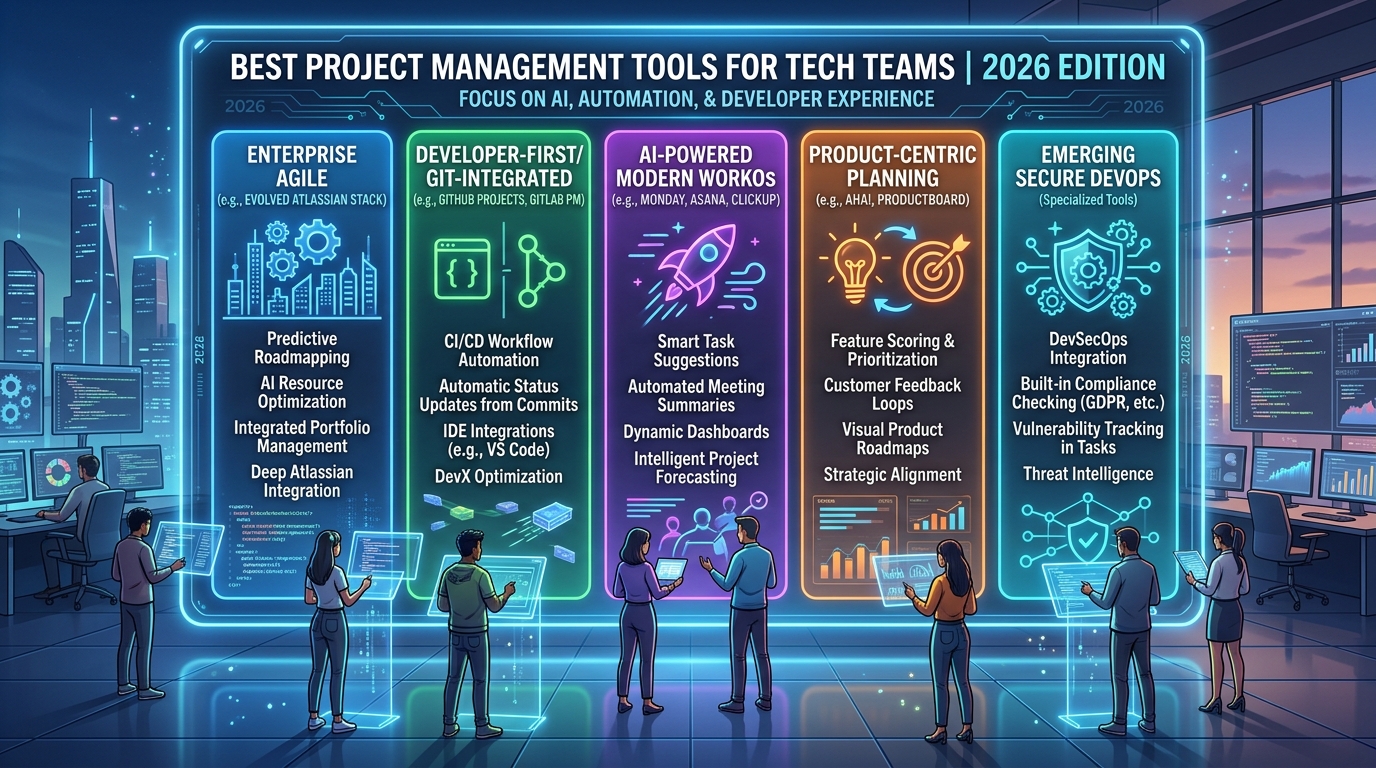
If your team is shipping features, managing sprints, and coordinating across time zones all at once then you already know the cost of using the wrong tool. Missed deadlines, lost context, and endless status meetings are not workflow problems. They are symptoms of a project management gap. The good news? The best project management tools available in 2026 were built precisely for teams like yours: lean, technically fluent, and moving fast.
This guide cuts through the noise. We examined dozens of work management platforms and narrowed the list to the tools that genuinely deliver for small to mid-sized tech teams covering everything from agile sprint tracking to cross-functional task visibility, without forcing you into the overhead of enterprise project management software built for teams ten times your size.
Find your ideal tool below
Why Generic Tools Fall Short for Tech Teams
Not all project management tools are created equal. A platform built for marketing workflows will buckle under the pressure of engineering sprints, bug backlogs, and multi-repository release cycles. Tech teams need tools that understand concepts like dependencies, velocity tracking, CI/CD integration, and iterative delivery not just a prettier to-do list.
The rise of hybrid work and distributed teams has also raised the bar. Your platform needs to serve as the single source of truth: where tasks live, where decisions are logged, and where blockers get surfaced before they become crises. The wrong choice means your team is managing the tool instead of the work.
The right work management platform, on the other hand, reduces cognitive overhead and creates the kind of operational clarity that lets small teams punch far above their weight.
See what to look for in a platform
Key Features to Evaluate Before You Commit
Before comparing tools side by side, align on what your team actually needs. The features that matter most for small to mid-sized tech teams typically fall into five areas:
Task and sprint management. Can you build and manage sprints natively? Does the tool support story points, backlogs, and velocity charts without needing a third-party plugin? For engineering teams, this is non-negotiable.
Collaboration and async communication. Teams operating across time zones need more than comment threads. Look for tools that support threaded discussions, file attachments, and activity feeds that reduce the need for synchronous check-ins.
Integration depth. Your project management tool should connect cleanly with the rest of your stack GitHub, GitLab, Slack, Jira, Figma, or whatever combination your team runs. Poor integration means data lives in silos, and silos kill efficiency.
Reporting and visibility. Managers and leads need dashboards that reflect real progress, not manually updated spreadsheets. Workload views, burndown charts, and timeline reporting should be first-class features, not paid add-ons.
Scalability without complexity. Your team will grow. The tool should scale with you adding users, projects, and automation rules without requiring you to rebuild your workflow from scratch or migrate to enterprise project management software prematurely.
Match features to your team's needs.
The Best Project Management Tools for Tech Teams in 2026
1. Linear Purpose-Built for Engineering Teams
Linear has become the go-to choice for product and engineering teams that prioritize speed and clarity. Its interface is deliberately minimal: keyboard-first, distraction-free, and fast. Sprint planning, issue tracking, and roadmap management are tightly integrated, and the GitHub and GitLab sync is seamless issues update automatically when branches are merged or PRs are opened.
Linear's cycle and project management features give team leads the visibility they need without the reporting overhead. For small tech teams that value developer experience, it is the most thoughtfully designed tool in this category. The free tier supports up to 250 issues, making it accessible for early-stage teams as well.
2. Notion The Flexible Knowledge and Task Hub
Notion occupies a unique position among work management platforms: it is simultaneously a wiki, a database, a task tracker, and a project dashboard. For teams that need to manage documentation alongside active work technical specs, onboarding guides, meeting notes, and sprint boards in one place Notion delivers unmatched flexibility.
Its database-first architecture means you can build exactly the workflow views your team needs: kanban, calendar, timeline, or table. Notion AI, integrated natively in 2024 and significantly enhanced through 2025, adds summarization, action item extraction, and drafting capabilities that reduce the time teams spend on documentation overhead.
The learning curve is real, but the payoff for teams willing to invest in setup is a genuinely centralized operational hub.
3. ClickUp The All-in-One Contender
ClickUp continues to expand its feature footprint, positioning itself as an alternative not just to project management tools but to entire software stacks. In 2026, it supports goals, time tracking, docs, whiteboards, sprints, resource planning, and a growing suite of AI-assisted automation — all within a single workspace.
For mid-sized tech teams that want to consolidate tools and reduce subscription costs, ClickUp offers compelling value. Its customization depth is among the highest in the market, with multiple task views, custom fields, and automation logic that can mirror almost any existing workflow. The tradeoff is complexity: ClickUp rewards investment in setup and administration.
4. Asana Reliable Work Orchestration at Scale
Asana remains one of the most mature work management platforms available, with a particularly strong offering for teams managing cross-functional projects where engineering, design, and product intersect. Its timeline view, portfolio management, and workload balancing features are well-executed and require minimal configuration.
The platform's rule-based automation engine is one of its strongest differentiators teams can build multi-step automations that route tasks, send notifications, update statuses, and create subtasks based on triggers, without writing a single line of code. For tech teams where project operations often span multiple departments, Asana's structure scales naturally.
5. Jira The Enterprise Standard, Reimagined for Smaller Teams
Jira has historically been associated with large engineering organizations and the complexity that comes with them. Atlassian has spent the past two years significantly simplifying its onboarding experience and pricing structure for teams under 50 users. The result is a more accessible entry point to software that remains the industry reference for agile project management.
If your team follows scrum or kanban methodologies closely, Jira's depth in sprint management, issue hierarchies, and release tracking is unmatched. Its integration with Confluence, Bitbucket, and the broader Atlassian ecosystem also makes it a strong choice for teams already operating within that stack. For those considering a move toward enterprise project management software in the future, Jira provides the clearest upgrade path.
ITC's Perspective: Technology That Works For You
At ITC, we work with tech teams across Saudi Arabia and the Gulf region to build and optimize digital operations — from custom development environments to integrated technology stacks. The project management challenge is one we encounter consistently: capable teams held back not by talent, but by fragmented tools and unclear processes.
Our recommendation is always to treat project management as a strategic technology decision, not an afterthought. The right work management platform directly influences your delivery speed, team morale, and your ability to scale. Whether you are evaluating your first tool or migrating from an outdated enterprise project management software solution, the decision deserves the same rigor you apply to your product architecture.
Talk to ITC about your tech stack
Frequently Asked Questions
What are the best project management tools for small tech teams in 2026?
Linear, Notion, ClickUp, Asana, and Jira are the top choices, each suited to different team workflows and priorities.
Is enterprise project management software worth it for small teams?
Generally no small teams benefit more from lightweight tools; enterprise platforms add unnecessary complexity and cost.
What is the difference between a project management tool and a work management platform?
Work management platforms cover the full operational workflow tasks, docs, goals, and reporting beyond just project tracking.
Which project management tool is best for agile teams?
Linear and Jira are the strongest options for agile teams, with native sprint planning, backlog management, and velocity tracking.
How do I migrate my team to a new project management tool without losing productivity?
Run a parallel trial for two weeks, migrate one active project first, and designate one team member to lead the transition.
Do project management tools integrate with GitHub and GitLab?
Yes Linear, Jira, ClickUp, and Asana all offer native or well-supported integrations with GitHub and GitLab.
